Never Miss an NHS Appointment Again
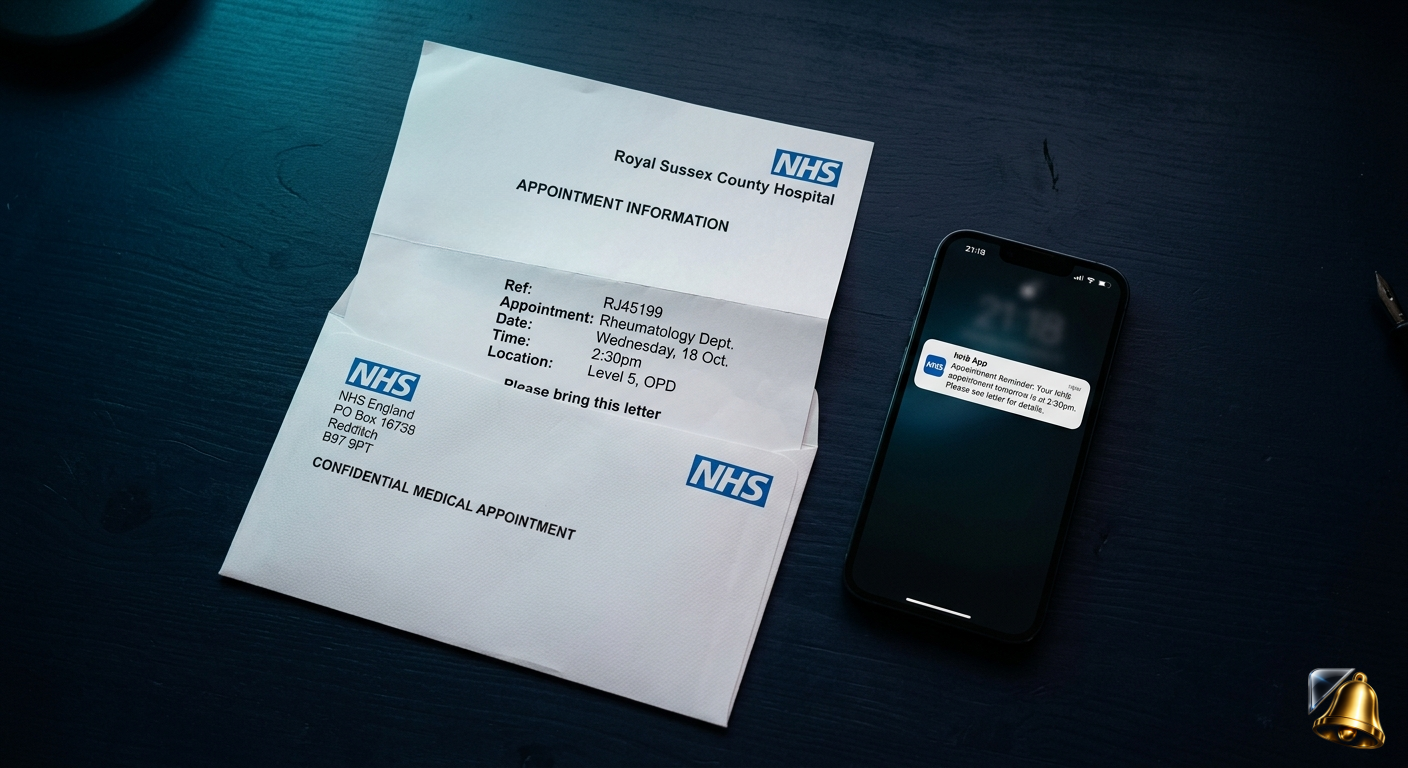
An NHS appointment letter arrives in the post. You read it, mean to put it somewhere safe, and a few weeks later the appointment date passes without you even realising. It happens to millions of people every year — and the consequences go beyond a wasted slot. Missing a hospital appointment can push you back months in a waiting list that was already long before you started.
This guide covers why NHS appointments are so easy to miss, what actually happens when you don't show up, and how to set automatic reminders on your iPhone directly from the appointment letter — in seconds.
The Scale of Missed NHS Appointments in the UK
These aren't just statistics — each missed appointment represents a patient who waited weeks or months for a slot, wasted it, and now has to start the wait again. For non-urgent referrals this might mean waiting another 4–6 months. For ongoing conditions, a missed follow-up can mean going without a medication review or test results for significantly longer than intended.
Why NHS Appointment Letters Are So Easy to Miss
NHS appointment letters have a few features that make them particularly easy to forget:
Long lead times between letter and appointment
NHS outpatient letters are often sent 6–12 weeks before the appointment date. By the time the day arrives, most people have completely forgotten the letter existed — let alone what time or where they need to be.
Letters look like standard post
NHS correspondence arrives in plain white envelopes without any distinctive branding on the outside. It's easy for the letter to sit in a pile of other post for days before being opened.
No automatic digital reminder
Unlike private healthcare providers who often send SMS and email reminders, NHS trusts vary widely in whether they send reminder texts. Many still rely entirely on the original letter — sent weeks in advance — as the only notification.
Multiple family members, multiple letters
For households managing appointments for children, elderly relatives, or multiple family members, the volume of NHS letters can quickly become overwhelming. One person is often responsible for tracking appointments for several people at once.
What Happens When You Miss an NHS Appointment?
The immediate consequence depends on your NHS trust's policy, but the most common outcomes are:
- You are discharged back to your GP — your referral is closed and your GP must re-refer you, restarting the waiting time from scratch
- You are offered one more appointment — some trusts have a "one missed appointment" policy before discharging you
- Your treatment is delayed — even if you're rebooked rather than discharged, the next available slot may be months away
- Your condition may worsen — for ongoing conditions where appointments are monitoring or managing symptoms, a long gap in care can have real health consequences
None of these outcomes are inevitable if you simply have a reminder set a day or two before the appointment. The letter contains all the information — it just needs to be turned into a push notification you'll actually see.
How to Set NHS Appointment Reminders on iPhone
With SnapReminder, the process takes about 15 seconds per letter:
Open the letter the day it arrives
Don't put it in the pile. Open it immediately and scan it with SnapReminder. The AI reads the date, time, department and hospital name from the letter automatically.
Confirm the details
SnapReminder shows you what it extracted — appointment date, time and location. Check it's correct, then save.
Set your reminder timing
We recommend two reminders: one the evening before (so you can plan travel and check any preparation instructions) and one the morning of the appointment.
File the letter — you won't need to find it again
SnapReminder has everything it needs. Put the letter in a folder for your records, but you'll never need to dig it out to check the details — it's all in the app.
Managing appointments for the whole family? SnapReminder keeps all reminders in one place. Scan letters for children's hospital appointments, elderly relatives' follow-ups, or your own GP referrals — everything is in one app with separate reminder notifications for each.
What to Check Before Your NHS Appointment
When your reminder fires the evening before, use it as a prompt to run through this quick checklist:
- Confirm the hospital or clinic address and plan your route
- Check whether you need to fast beforehand (blood tests, some scans)
- Bring your NHS number if you have it — it's on previous NHS letters
- Bring a list of any current medications if the appointment involves a doctor review
- Check parking or public transport — hospital car parks fill up quickly in the morning
- Bring something to read — NHS outpatient waits of 30–60 minutes past appointment time are common
- If you can't make it, cancel as early as possible — it frees the slot for someone else on the waiting list
How to Cancel or Rearrange an NHS Appointment
If you realise you can't attend, cancel as soon as possible. Most NHS trusts now offer several ways to do this:
- Phone the number on your appointment letter — the most reliable method
- NHS App — some trusts allow cancellation through the NHS App if you're registered
- Online patient portal — some hospitals have their own portal linked in the letter
- GP surgery — they can sometimes contact the referring department on your behalf
Cancelling even a few hours before is far better than not showing up. It allows the slot to be offered to another patient and protects your standing on the waiting list — you're far less likely to be discharged if you cancel in advance.
Other Health-Related Reminders Worth Setting
NHS appointments are rarely the only health-related date worth tracking. SnapReminder handles all of these from the same app:
- Prescription collection reminders — especially for repeat prescriptions with a collection window
- Medication review appointments at your GP surgery
- Dental check-up reminders — most NHS dentists send letters 6 months in advance
- Eye test reminders — opticians typically recommend every 2 years
- NHS screening programme letters — bowel cancer screening, breast screening, cervical smear reminders
- Immunisation and vaccination letters for children or flu jabs for adults
Scan your NHS letter. Set the reminder. Done.
SnapReminder reads your appointment letter and reminds you automatically — the evening before and the morning of. Free on iPhone.
Download free on the App Store