
Scan once. Never miss a bill again.
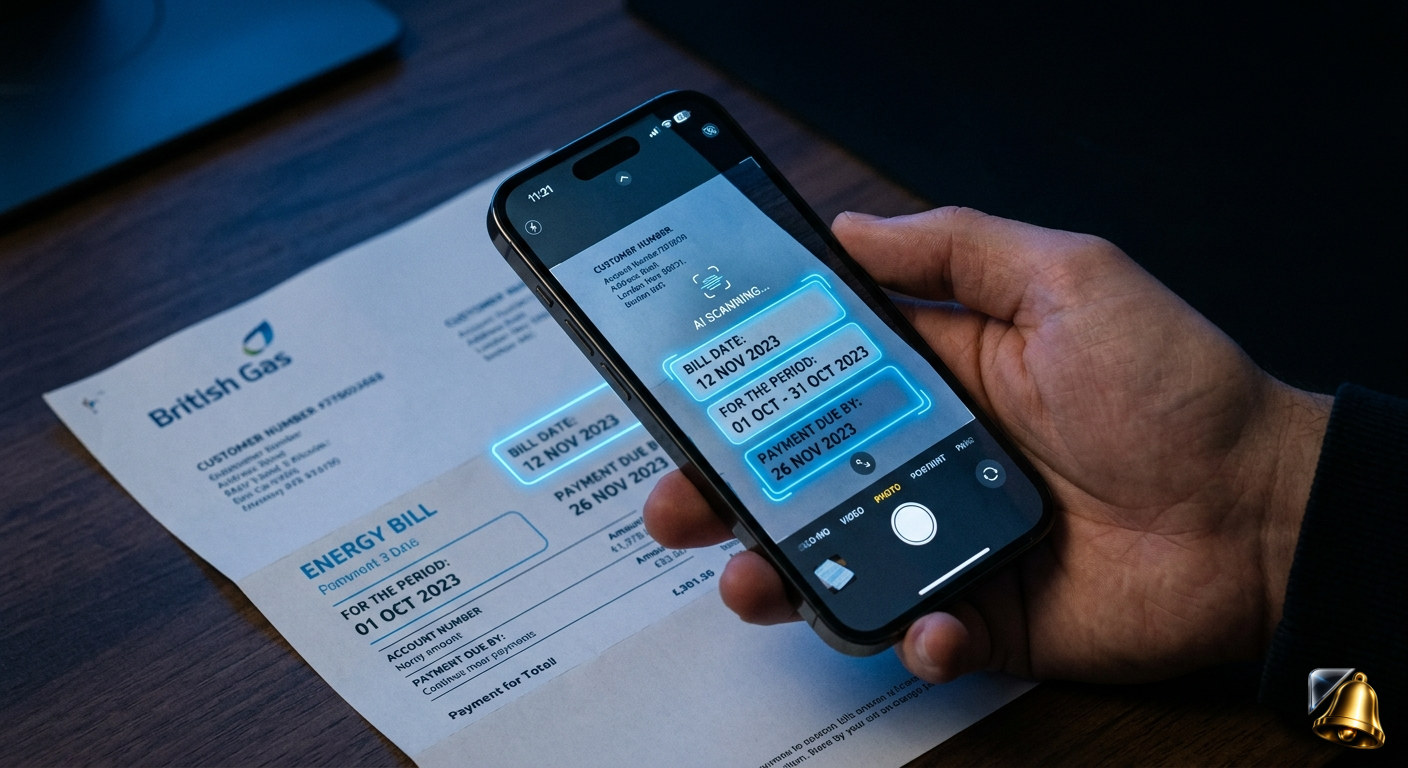
Every UK household receives dozens of bills, letters and renewal notices each year. Council tax demands, energy statements, HMRC letters, MOT reminders, NHS appointment cards — each one has a date buried somewhere in the text, and each one requires you to remember it or act on it before it's too late.
The traditional approach is to read the letter, try to remember the date, maybe write it on the calendar, and hope for the best. SnapReminder replaces that entire process with a single camera scan — the AI reads the date, understands what the document is, and sets the reminder automatically. Here's exactly how it works.
What the AI Actually Does When You Scan a Document
When you point your iPhone camera at a bill or letter, SnapReminder's AI does several things simultaneously:
- Reads the full text — using on-device optical character recognition (OCR) to extract every word and number from the document
- Identifies what the document is — a utility bill, a tax notice, an appointment letter, a renewal reminder, and so on
- Finds the relevant date — not just any date on the page, but specifically the due date, appointment date, or expiry date that matters
- Extracts the context — the amount due, the organisation, the reference number, and what the reminder should be called
- Proposes a reminder — with a title, date, and suggested lead time, for you to confirm
The whole process takes under 10 seconds. The document image is processed instantly and never stored on external servers — only the extracted text and reminder data are saved.
Every Document Type It Handles
SnapReminder works with any printed or digital document that contains a date. The AI has been trained on the kinds of letters that UK households actually receive:
If it's a piece of paper with a date on it, SnapReminder can read it.
How It Changes Your Relationship with the Post
The biggest shift isn't the technology — it's the habit. Once scanning becomes the default response to any letter with a date, the anxiety around bills largely disappears.
Before SnapReminder
- Letter arrives, read it, put it down
- Meant to add it to the calendar — never did
- A week before the deadline, panic sets in
- Scramble to find the letter and check the details
- Sometimes miss the date entirely
- Late fee, enforcement notice, or voided insurance
After SnapReminder
- Letter arrives, scan it immediately (10 seconds)
- Reminder set automatically with correct date
- Notification fires 3–7 days before deadline
- Pay or act with time to spare
- Letter goes in the recycling
- Zero late fees, zero stress
Step-by-Step: Scanning Your First Bill
Open SnapReminder and tap the scan button
The camera opens immediately. No settings to configure, no account required for the first scan.
Hold the document flat and steady
Place the letter on a flat surface if possible. Make sure the text is in focus and the page is reasonably flat. Good lighting helps but it works in normal indoor light.
Tap to capture
SnapReminder processes the image instantly. You'll see a loading state for a few seconds while the AI reads the document.
Review what the AI found
SnapReminder shows you the extracted reminder: the title, the date, and any amount or reference it found. Check it's correct — you can edit any field before saving.
Set your lead time and save
Choose how many days in advance you want to be reminded — 3 days, 7 days, or both. Tap save and you're done. The letter can go straight in the recycling.
Tip: Scan the whole household's post in one sitting. Work through the week's letters in 2–3 minutes and set reminders for everything. Once it's a habit, you'll never have a pile of unprocessed post again.
Scanning Digital Bills and PDFs
SnapReminder isn't limited to physical paper. You can also scan:
- On-screen PDFs — open the PDF on your phone or computer and scan the screen directly
- Email confirmations — take a screenshot and scan it from your camera roll
- Online account statements — screenshot any page showing a due date and scan from photos
- Appointment confirmation texts — screenshot the message and scan it the same way
The AI handles screenshots and photos just as reliably as physical documents — as long as the text is legible, it can read it.
What Happens to the Document After Scanning?
Document images are processed on-device where possible and never permanently stored on SnapReminder's servers. Only the extracted reminder data — the title, date and any amounts — is saved to your account. The image itself is discarded once processing is complete.
This means you can safely scan sensitive documents like HMRC notices, bank letters or NHS correspondence without worrying about document storage. Full details are in the privacy policy.
Point. Scan. Done.
SnapReminder reads the deadline from any bill or letter and reminds you before it's due. Free on iPhone — start with 20 free scans.
Download free on the App Store